这篇blog要从一只蝙蝠说起
前几天发现了一篇文章
其实应该是几个月前,但这vim太难搞了啊!
中文翻译
英文原文
看看大佬的vim+latex:
![大佬的vim+latex]()
有没有心动
然后这几天打算准备一下
- 对于我这个极客来说,这么酷的事能不折腾一下(还能装B)
- 而且计算机代替纸张是注定的啊(这都已经2020年了,还拿纸记笔记,太lou了)
- 而且这样才有动力记笔记啊(对于从小就没有习惯记笔记的我,太难了)
- 而且对于学物理的我这个真的很适合(记公式)
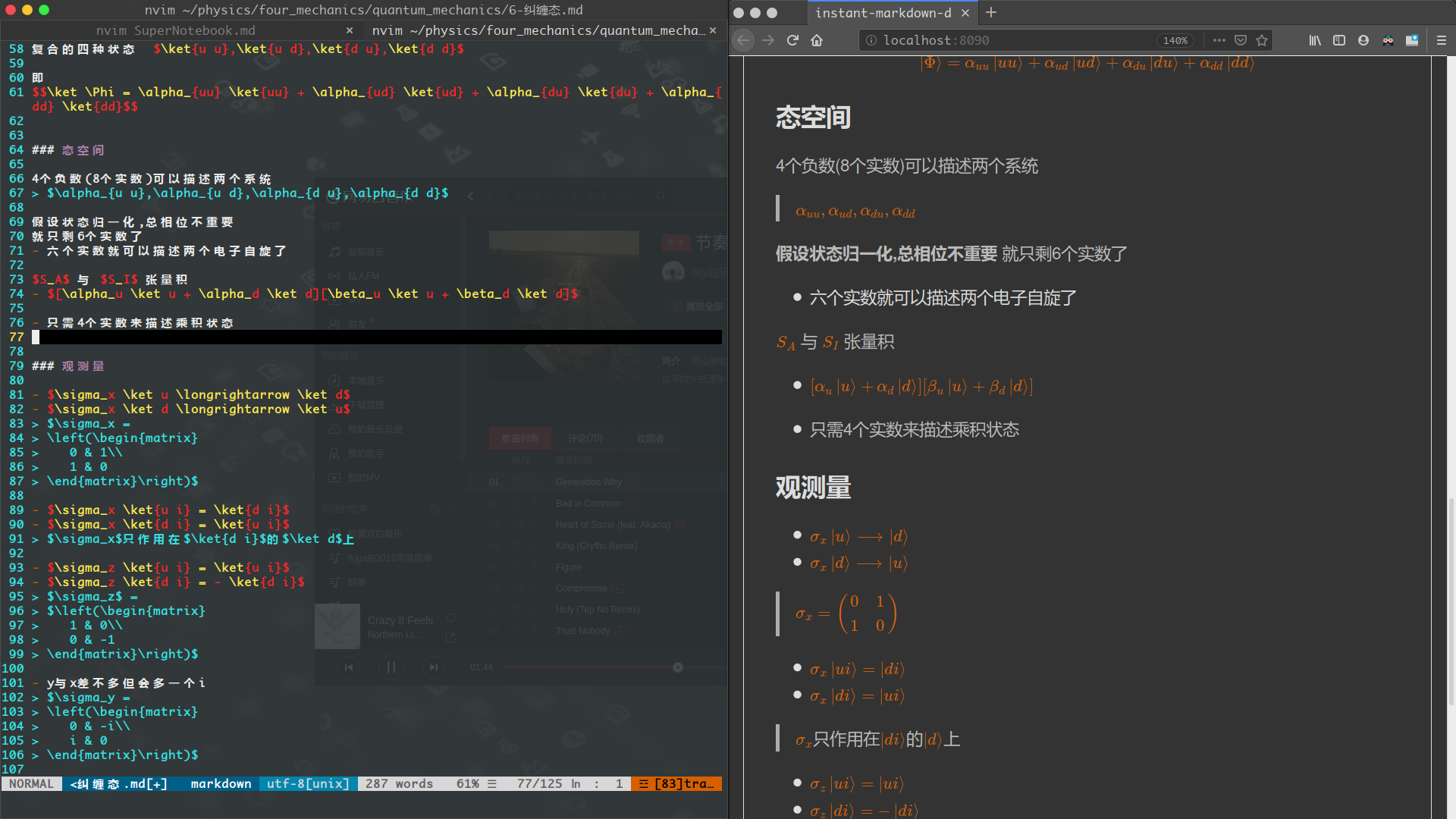
先放上效果图:
![量子力学]()
遇事不决,量子力学
![blog]()
准备neovim
我的vim用来开发,这个neovim就专门用来记笔记
在我发现了这个国外大佬后,又在知乎上找到了
这简直就是专门为我写的啊!!!
他用的也是neovim,而且想法跟我一模一样
现在安装neovim
然后创建init.vim文件在~/.config/nvim/目录下
设置基本参数:
1
2
3
4
5
6
7
8
9
10
11
12
13
14
15
16
17
18
19
20
21
22
23
24
25
26
27
28
29
30
31
32
|
set ts=4
set expandtab
set softtabstop=4
set shiftwidth=4
set shell=/bin/sh
set helplang=cn
set wrap
set encoding=utf-8
set fileencoding=utf-8
set fileencodings=utf-8
set ttyfast
set hidden
set number
set autoindent
set cursorline
set conceallevel=2
set concealcursor=nc
set showmatch
set hlsearch
set smartcase
set incsearch
set mouse=a
|
然后禁止光标闪烁,当前行高亮
1
2
3
4
5
6
7
| set gcr=i-ci:block-blinkon0
set cursorline
highlight CursorLine cterm=NONE ctermbg=black ctermfg=NONE guibg=NONE guifg=NONE
syntax enable
colorscheme koehler
|
一个命令搞定(linux)
1
2
| curl -fLo ~/.local/share/nvim/site/autoload/plug.vim --create-dirs \
https://raw.githubusercontent.com/junegunn/vim-plug/master/plug.vim
|
装插件要包括到两条命令里面,如(安装输入:PlugInstall)
1
2
3
| call plug#begin(expand('~/.config/nvim/plugged'))
Plug 'Yggdroot/indentLine' "缩进指示线"
call plug#end()
|
1
2
3
4
5
6
7
8
9
10
11
| Plug 'Yggdroot/indentLine'
Plug 'vim-airline/vim-airline'
Plug 'vim-airline/vim-airline-themes'
let g:indentLine_enabled = 1
let g:indentLine_concealcursor = 0
let g:indentLine_char = '┆'
let g:indentLine_faster = 1
let g:airline_theme = 'cool'
|
markdown配置
高亮
1
2
3
4
5
6
|
Plug 'godlygeek/tabular'
Plug 'plasticboy/vim-markdown'
let g:tex_conceal = ''
let g:vim_markdown_math = 1
|
上面let g:tex_conceal = ''是因为它会将\alpha在vim内转为$\alpha$,字很小,看着很难受
用浏览器实时预览
这个没有知乎大佬用的那个强,但我觉得不需要那么多功能,而且这个配置简单(我还能在上面写自己的暗色主题)
1
2
3
4
5
6
7
| Plug 'suan/vim-instant-markdown', {'for': 'markdown'}
let g:instant_markdown_slow = 1
let g:instant_markdown_autostart = 0
:nmap <F9> :InstantMarkdownPreview<CR>
:nmap <F10> :InstantMarkdownStop<CR>
let g:instant_markdown_mathjax = 1
|
补全插件与snippet
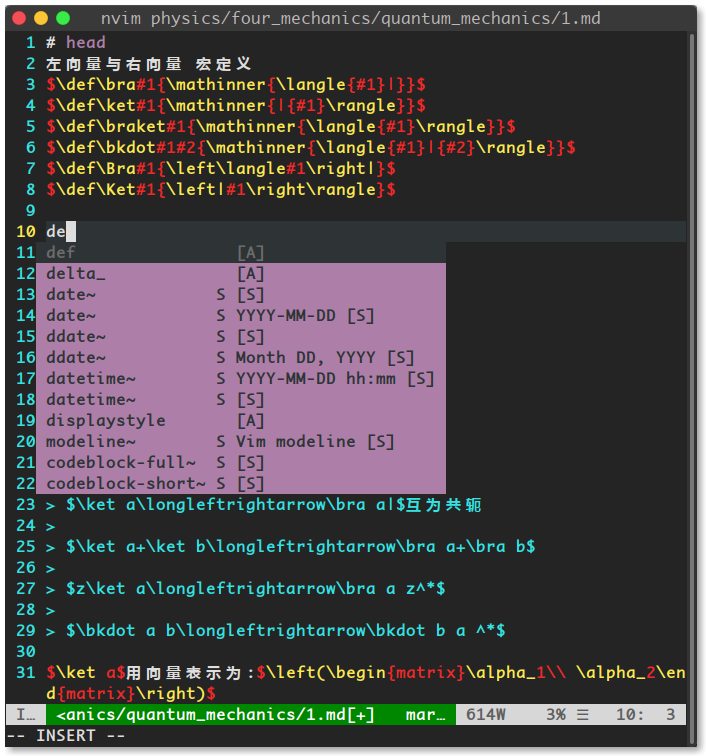
我采用coc.nvim进行自动补全(上面有snippet插件,支持的语言挺多的,输入:CocList可以查看)
安装python和snippet补全
:CocInstall coc-python coc-snippets
1
2
3
4
5
6
7
8
9
10
11
12
13
14
15
16
17
18
|
Plug 'neoclide/coc.nvim', {'branch': 'release'}
Plug 'SirVer/ultisnips'
Plug 'honza/vim-snippets'
"" snippet配置
let g:UltiSnipsExpandTrigger = '<tab>'
let g:UltiSnipsJumpForwardTrigger = '<tab>'
let g:UltiSnipsJumpBackwardTrigger = '<S-tab>'
let g:UltiSnipsSnippetDirectories=["~/.config/nvim/UltiSnips"]
let g:UltiSnipsEditSplit="vertical"
|
效果:
![效果:]()
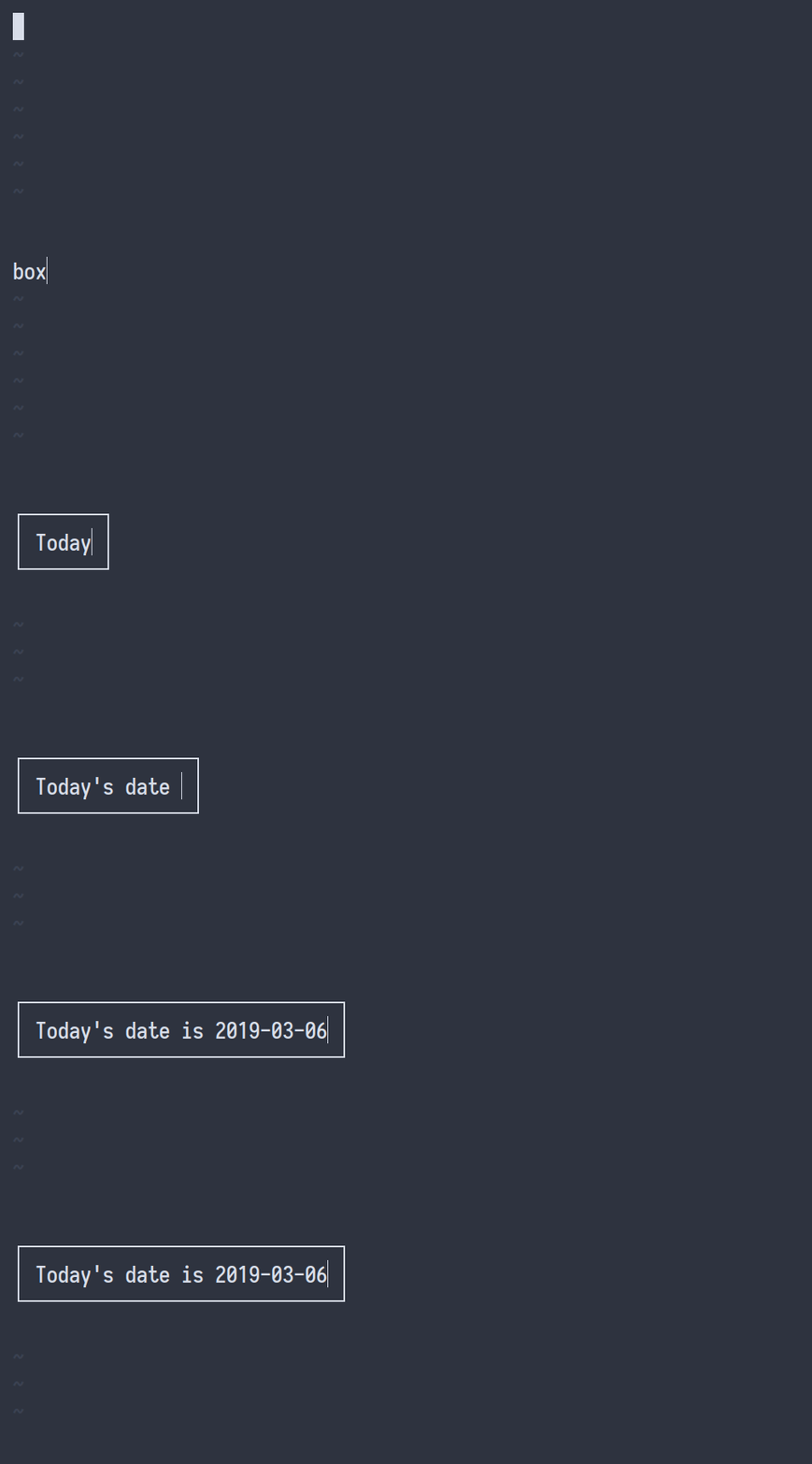
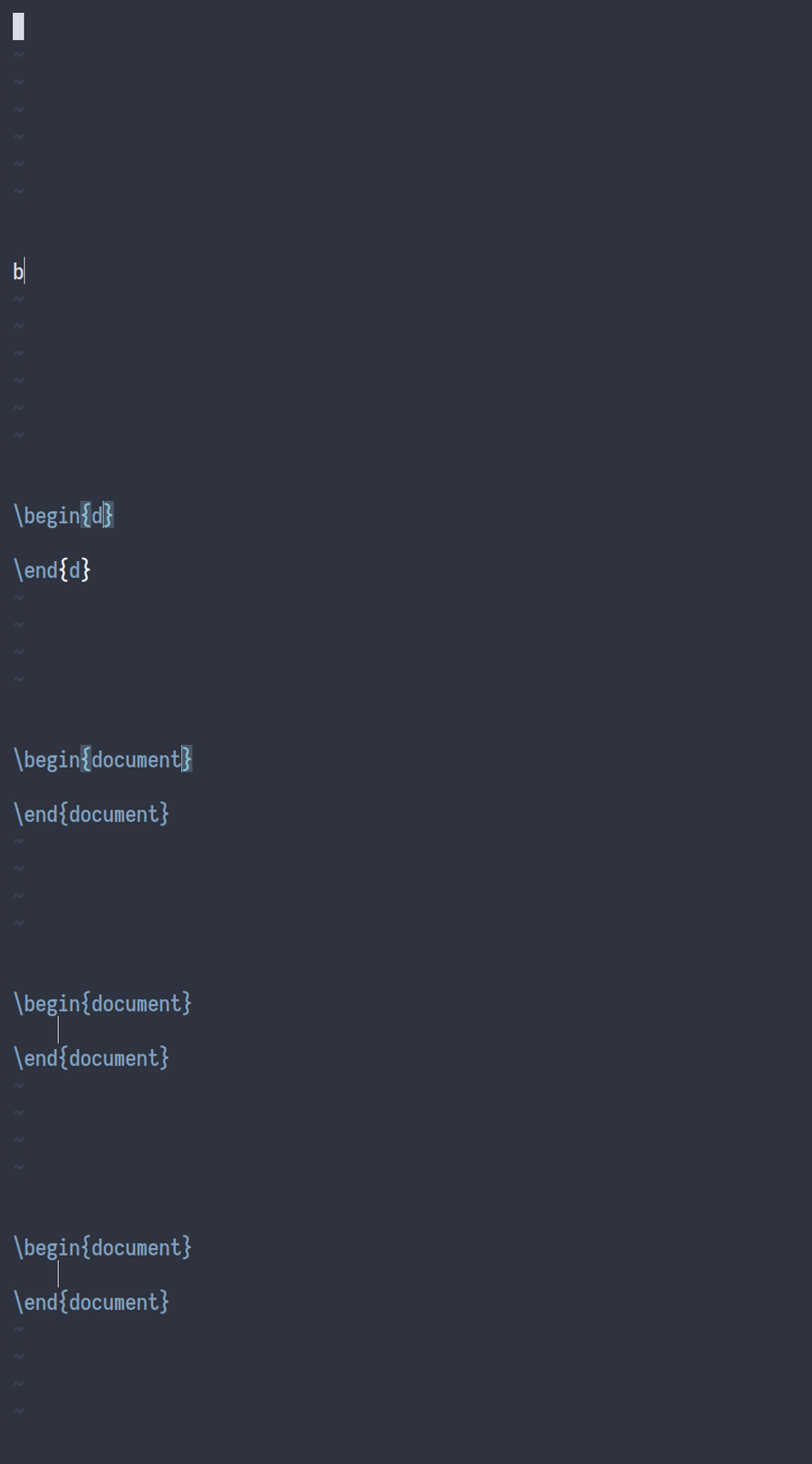
再放几张大佬的gif图(展示UltiSnips的强大)
![1]()
![2]()
![3]()
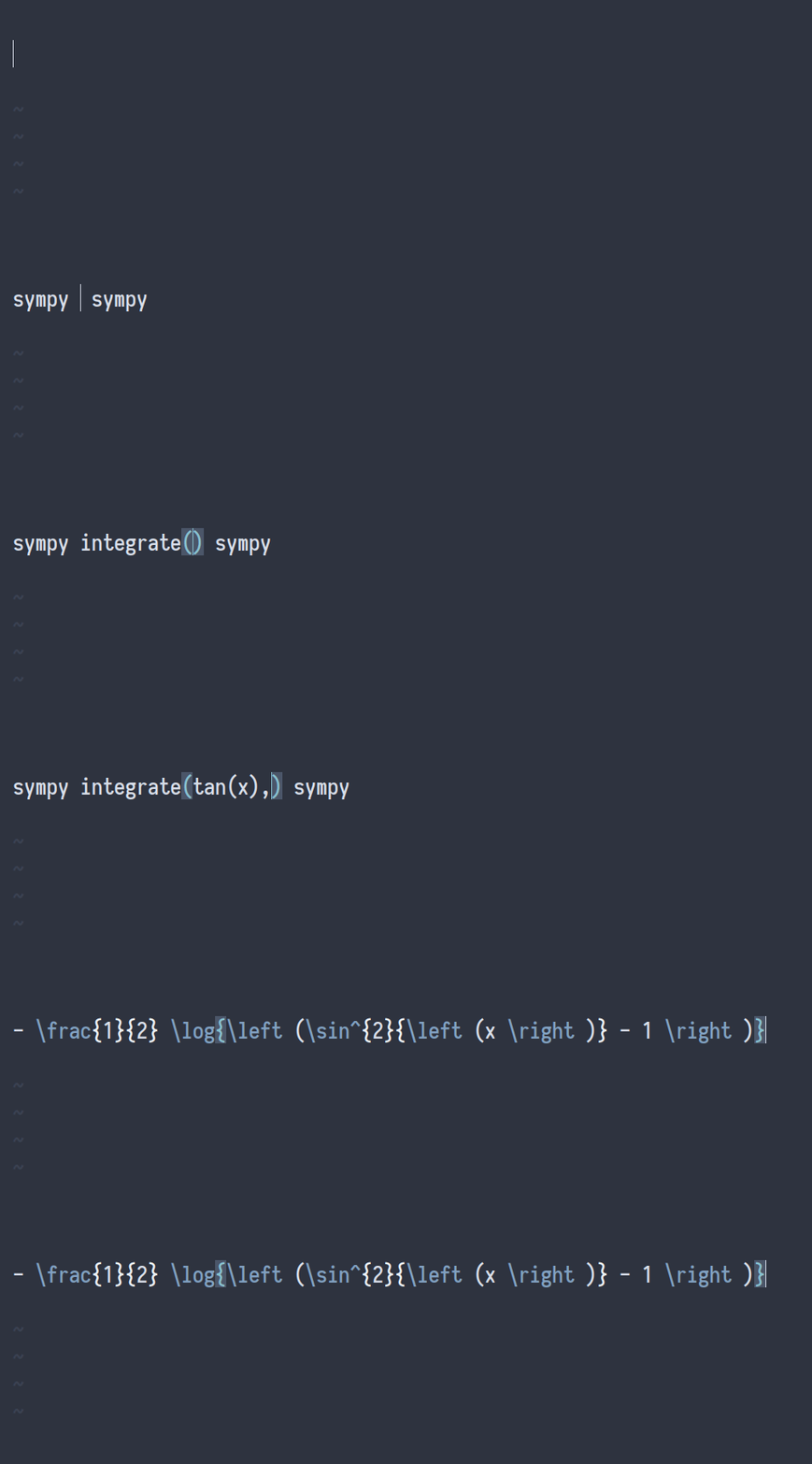
甚至可以用sympy
![sympy]()
中文符号问题
这是个大问题,每次忘记切换输入法就会出现这种闹人的问题,所以干脆我就不用中文符号了
1
2
3
4
5
6
7
8
9
10
11
12
13
14
15
| nmap : :
imap ( (
imap ) )
imap 《 <
imap 》 >
imap · [
imap 「 ]
imap { {
imap } }
imap ` `
imap + +
imap - -
imap ? ?
imap ! !
|
其他
1
2
3
4
5
6
7
|
Plug 'preservim/nerdtree'
Plug 'jiangmiao/auto-pairs'
Plug 'tomasr/molokai'
Plug 'morhetz/gruvbox'
|
引用链接
不行了,又熬到快两点,眼干的要死。。。